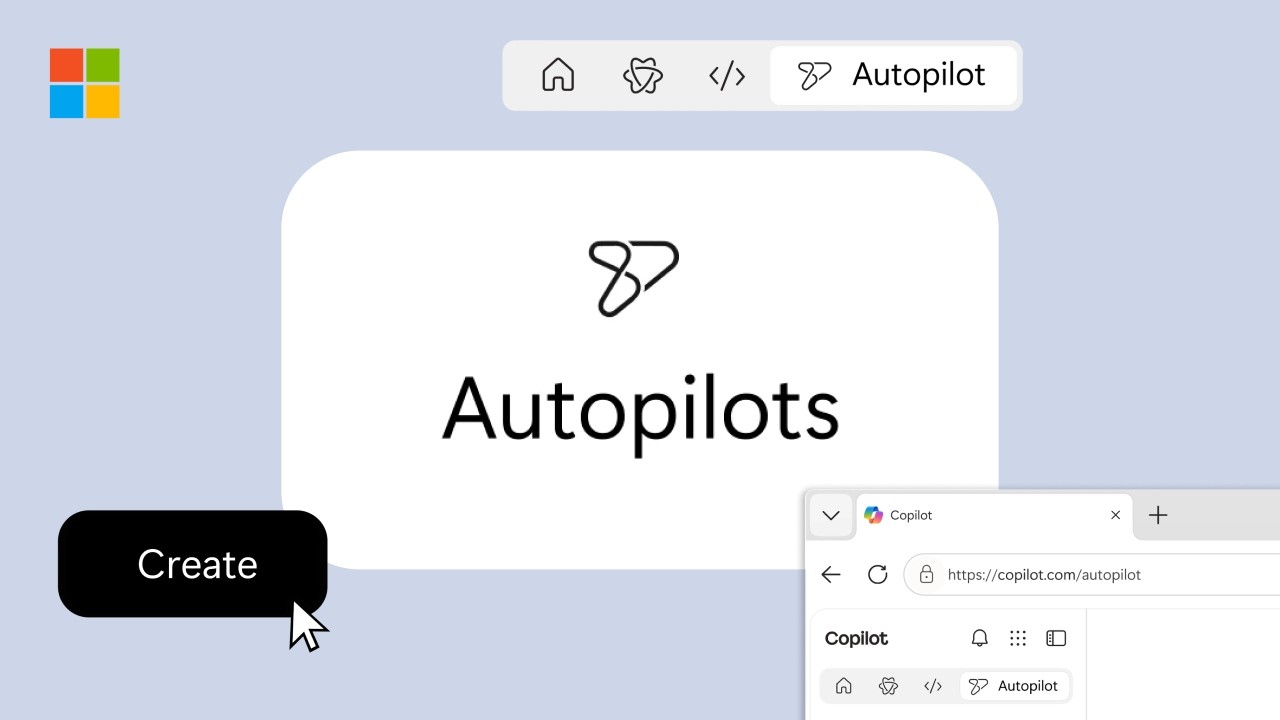
New Microsoft Copilot 2026: Home, Code and Autopilot Turn Copilot Into a Work Operating Layer
[Read Time: 10 Min]
Microsoft has rebuilt Copilot around a bigger idea than chat. The new Microsoft Copilot combines Home, Code and Autopilot with Office apps, long-running agents and enterprise governance, moving the product toward a single operating layer for knowledge work. The question is no longer whether Copilot can write another summary; it is whether organizations are ready to let it build, act and keep working after the user leaves.
Table of Contents
What did Microsoft announce with the new Copilot?
Microsoft introduced a redesigned Copilot on September 25, 2026, centered on three experiences: Home, Code and Autopilot. Home combines Chat and Cowork, Code lets users create apps and automations from natural language, and Autopilot is a persistent cloud agent designed to continue multi-step work without constant prompting. Office apps are also moving directly into Copilot.
This is more than a feature bundle. Copilot is becoming the place where Microsoft wants users to ask, create, delegate, automate and resume work rather than a chatbot that sits beside Word, Excel, Outlook and Teams.
Microsoft says Home and Code will roll out first through its Frontier program, while Autopilot expands to private preview at the end of September. The company is also previewing Today in Home and @Copilot in Teams. Microsoft’s September 25 announcement and Reuters reporting confirm the staged rollout.

Home turns the new Microsoft Copilot into a work dashboard
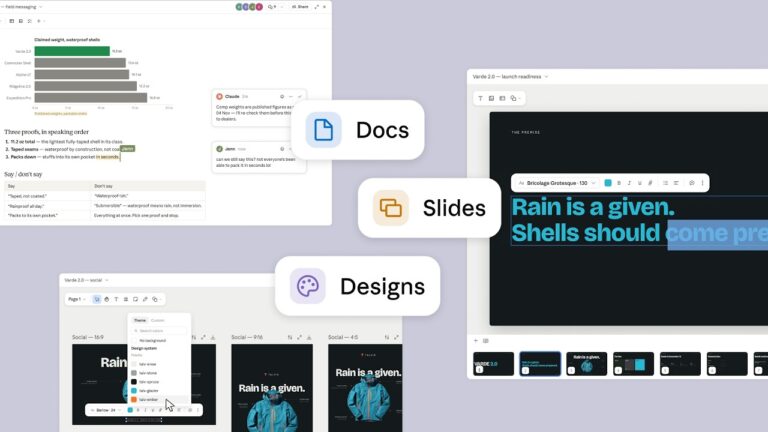
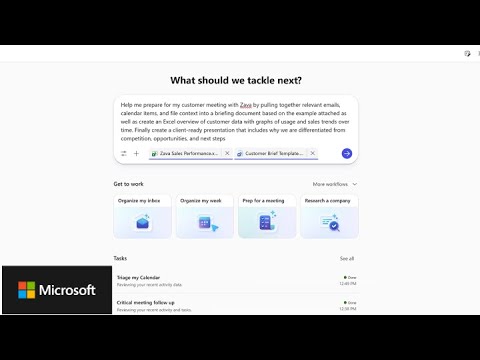
Copilot Home is designed as the starting point for daily work, combining fast conversational Chat with Cowork for longer, multi-step assignments. It surfaces recent activity, suggested actions and unfinished work, while Office in Copilot lets users create or update Word, Excel and PowerPoint files without rebuilding context in another app.
Home aims to reduce context switching across email, Teams, Word, Excel and AI chat. Microsoft says it can draft a launch brief, build a budget model, create a presentation or continue work on an existing team file while keeping Office content synchronized. The challenge is relevance: if Home surfaces too much activity, it risks becoming another inbox.
The official Microsoft Copilot product page now presents Home as the starting point where Chat and Cowork meet, with Frontier access for the new experience.
Copilot Code brings natural-language app building into the main product
Copilot Code lets employees describe a dashboard, tracker, workflow or small application in natural language and have Copilot generate a working solution. Microsoft says it uses the same underlying technology family as GitHub Copilot, but Code is positioned for knowledge workers rather than only professional developers.
The deeper move is Microsoft Copilot Managed Runtime, now in public preview. Microsoft says it provides an IT-governed environment for code created through Copilot, handling hosting, identity, security policy and deployment concerns that otherwise turn quick AI-generated apps into unmanaged production risks.
For enterprises, this is the difference between generating code and safely running it. Business users may create more small internal apps, while developers and IT spend more time reviewing architecture, permissions, reliability and lifecycle ownership. Microsoft’s Managed Runtime announcement explains the governance layer behind that strategy.

Autopilot is the most consequential—and sensitive—piece
Copilot Autopilot is Microsoft’s always-on agent concept: a persistent cloud-hosted worker with its own identity, memory, computing environment and workspace. Users give it a role, goal and boundaries, then it can track conversations, run recurring tasks and continue a project over days without waiting for another prompt.
Microsoft previously introduced the Autopilot category at Build 2026, with Scout as its first example. The new Copilot folds that idea directly into the product and positions Autopilot as a digital teammate that can appear in Teams, Outlook, chats, channels and documents.
Microsoft gives supplier evaluation as one example: an Autopilot could maintain the project plan, prepare meetings, follow up on actions and contact stakeholders for status updates. That is materially different from asking an assistant to summarize a document because the agent is participating in the workflow.
“Autopilot is a persistent, proactive and personal agent that keeps working even when you’re not.”
— Jared Spataro, Chief Marketing Officer, AI at Work, Microsoft
That promise is also the governance question. A persistent agent needs clear permissions, audit logs, spending boundaries and predictable escalation. The more useful it becomes, the more damaging a bad instruction or over-broad permission could be.

Office in Copilot and Microsoft IQ are the glue
The new Microsoft Copilot is not only a new interface. Microsoft is tying Word, Excel and PowerPoint creation directly into Copilot while using Microsoft IQ—especially Work IQ and Fabric IQ—to ground agents in organizational context, business data, people, permissions and processes.
Work IQ is Microsoft’s workplace intelligence layer. Its documentation describes a permission-aware system that can reason over Microsoft 365 and connected systems, with support for REST, MCP and agent-to-agent interactions. Requests run in the context of the signed-in user and inherit that user’s access.
Fabric IQ extends the picture with structured business data, including Power BI semantic models. Microsoft says it can ground Copilot answers in reports while preserving Power BI permissions and row-level security.
This is why Microsoft can pitch Copilot as more than a model wrapper. The competitive asset is the combination of work data, identity, collaboration surfaces, governance and execution.

Availability and pricing: what is live now?
As of September 26, 2026, the new Microsoft Copilot is a staged rollout rather than a universal switch. Home and Code are beginning through Microsoft’s Frontier program, Autopilot is entering private preview, and Office in Copilot is expected in preview for Microsoft 365 Premium and Pro subscribers later in 2026.
| Feature | Status / timing | Main audience |
|---|---|---|
| Home | Frontier rollout | Copilot users and teams |
| Code | Frontier rollout; broader preview later in 2026 | Knowledge workers and builders |
| Autopilot | Private preview at end of September | Long-running workflows |
| Today in Home | Private preview in October | Daily priority management |
| @Copilot in Teams | Private preview at end of September | Teams and project groups |
| Managed Runtime | Public preview | App builders and IT admins |
| Work IQ API | Usage-based billing | Developers and agent builders |
Microsoft’s U.S. individual pricing page lists Microsoft 365 Premium at $199.99 per year and Microsoft 365 Pro at $99.99 per month, but not every new feature is generally available under those plans today. Enterprise and developer experiences can also use usage-based billing.
Actual access may still depend on preview enrollment, tenant settings, administrator controls, region and billing configuration.

Security and governance move from optional to foundational
The new Microsoft Copilot makes governance part of the product design because long-running agents and AI-generated apps can take actions, not just produce text. Microsoft emphasizes tenant boundaries, existing permissions, auditability, policy enforcement and admin-managed runtime controls across Work IQ, Autopilot and Managed Runtime.
Risk also changes from “the chatbot answered badly” to “the system acted with the wrong context, permission or instruction.” Teams should define data access, approval points, spending limits, audit review and stop conditions—especially for finance, HR, legal, security and customer-facing workflows.
This also connects to prompt-injection risk. An agent that reads email, documents, websites or external tools can encounter hostile instructions embedded in content, making permission boundaries more important than they are for ordinary chat.
Pros and trade-offs of the new Microsoft Copilot
The strongest upside is workflow continuity: users can move from question to document, app or delegated task without repeatedly copying context across products. The main downside is complexity. More autonomy creates more surfaces for permission mistakes, surprise costs, governance drift and errors that propagate beyond one response.
Pros
- One front door for Chat, Cowork, Office creation, app building and agents.
- Code can lower the barrier to useful internal tools.
- Managed Runtime gives IT a clearer place to govern AI-generated apps.
- Work IQ and Fabric IQ can ground tasks in real organizational context.
- Autopilot can handle work that spans hours or days.
Trade-offs
- Key features are still preview-gated or rolling out gradually.
- Persistent agents require tighter identity and permission design.
- Usage-based billing can make costs harder to predict at scale.
- AI-generated apps still need review, testing and lifecycle ownership.
- More data grounding raises the importance of data hygiene and access controls.

Who benefits first?
The new Copilot is most immediately compelling for organizations already standardized on Microsoft 365, Teams, SharePoint, Power BI and Entra ID. Their data, permissions and collaboration patterns already live inside the ecosystem Microsoft is using to ground and govern agents.
Smaller teams should watch cost and operational overhead. If a company mainly needs writing, research and occasional automation, a persistent agent platform may be more infrastructure than it needs. The value improves when there are repeatable processes worth delegating and enough Microsoft 365 data to make context useful.
What this changes in the AI software market
Microsoft is trying to move the competitive unit from “best chatbot” to “best work system.” The new Microsoft Copilot combines models with Office, enterprise data, identity, app execution and persistent agents—areas where standalone AI assistants rely more heavily on connectors and third-party integrations.
That does not settle the market. ChatGPT, Claude, Gemini and specialized SaaS agents continue to compete on model quality, coding, research, multimodal work and interoperability. But Microsoft is using its installed base to make distribution and governance part of the product.
The more useful benchmark may no longer be which assistant writes the best paragraph. It may be which platform can reliably complete a multi-day business process, prove what it did, stay inside permission boundaries and justify its cost.
The Bottom Line
The new Microsoft Copilot is Microsoft’s clearest attempt yet to turn AI from an assistant into an operating layer for work. Home centralizes context, Code creates executable solutions, and Autopilot keeps workflows moving without constant supervision, while Work IQ, Fabric IQ and Managed Runtime provide the data and governance beneath them.
The opportunity is real, but so is the operational burden. Enterprises should judge Copilot less by demo speed and more by permission design, auditability, cost control, failure handling and the quality of the business processes they choose to automate.
FAQs
What is the new Microsoft Copilot?
The new Microsoft Copilot is Microsoft’s redesigned work AI experience built around Home, Code and Autopilot. Home combines Chat and Cowork, Code creates apps and automations from natural language, and Autopilot is a persistent agent for long-running work. Microsoft is also integrating Word, Excel and PowerPoint directly into Copilot.
When will Copilot Home, Code and Autopilot be available?
Home and Code are rolling out through Microsoft’s Frontier program after September 25, 2026. Autopilot is expanding to private preview at the end of September. Other features, including Today in Home and @Copilot in Teams, have separate preview schedules and may require specific plans, tenant settings or administrator approval.
Is Copilot Autopilot the same as Microsoft Scout?
Autopilot is the broader Microsoft category for always-on agents. Scout was introduced earlier as Microsoft’s first Autopilot example. In the new Copilot, Microsoft describes Autopilot as a persistent digital teammate with its own identity, memory, workspace and computing environment that can continue work in the cloud.
Does Copilot Code replace professional developers?
No. Copilot Code lowers the barrier for employees to create internal apps and automations, but generated software still needs security review, testing, data governance, lifecycle ownership and integration decisions. Professional developers and IT teams are more likely to shift toward oversight and architecture than disappear from the process.
Editorial Disclaimer
Digital Pulse Brief maintains editorial independence. This article is based on official Microsoft announcements, product documentation and reputable reporting available as of September 26, 2026. Preview features, pricing and availability can change. No hands-on testing is claimed unless explicitly stated, and no ranking, traffic or product outcome is guaranteed.
Author Bio
Digital Pulse Brief Editorial Team covers AI, enterprise software, cybersecurity and the infrastructure behind modern digital work, focusing on verified product changes, practical trade-offs and clear technical context.
Sources
- Microsoft Newsroom — New Copilot with Home, Code and Autopilot
- Microsoft Copilot — official product page
- Microsoft Copilot Blog — Managed Runtime public preview
- Microsoft Learn — Work IQ overview
- Microsoft Learn — Fabric IQ in Copilot Cowork
- Microsoft Copilot pricing for individuals
- Reuters reporting via Fidelity
Related Trending Posts
What Is an AI Agent? How Agentic AI Works
A practical guide to the architecture, tools, memory and risks behind autonomous AI systems.
Read MorePrompt Injection Explained: Why AI Agents Can Follow Malicious Instructions
See how malicious content can redirect an agent and why permissions matter more as autonomy increases.
Read MoreMicrosoft Disrupts EvilTokens: How AI-Powered Device-Code Phishing Worked
A security-focused look at identity abuse in Microsoft 365 and the controls defenders need.
Read MoreGet clear AI, technology and business insights in your inbox
Breaking developments, practical explainers, reviews and useful tech intelligence — without the noise.
 Gemini 3.8 Live Avatar Is Now GA: 97 Languages, Custom Avatars, SynthID and Enterprise Use
  SaaS vs On-Premise Software: Cost, Security, Control and the Hybrid Reality in 2026