Home › Buying Guides › AI laptops
Buying Guide • September 24, 2026
Best AI Laptops to Buy in 2026: MacBook Air M5, Surface Laptop X2, XPS 14 and More
The best “AI laptop” is not automatically the one with the biggest NPU number. We compare current 2026 systems by battery life, local-AI capability, software compatibility, creator graphics, portability and price.
By Digital Pulse Brief • Research-based buying guide • No hands-on laptop testing was performed for this article

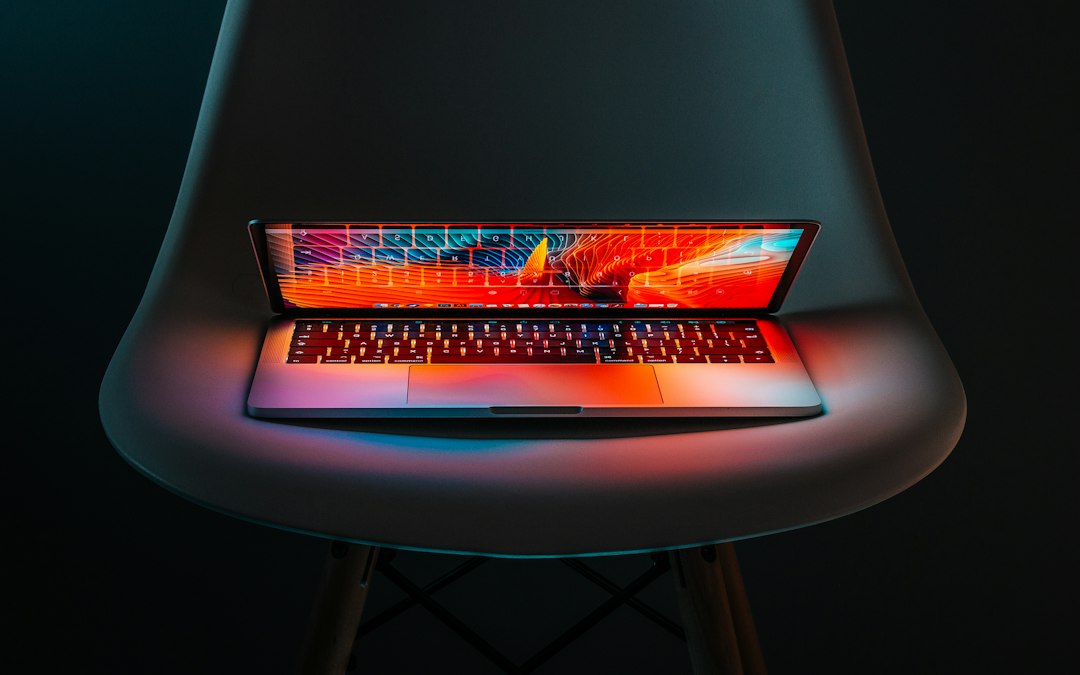
Editorial context photo: Ales Nesetril / Unsplash. Not a product photo of a specific laptop in this guide.
Quick picks
Best overall for most people: MacBook Air M5 — if macOS fits your software and workflow.
Best Windows battery-first option: Microsoft Surface Laptop with Snapdragon X2.
Best lightweight Windows Copilot+ option: ASUS Zenbook 14 (UX3480).
Best premium Windows all-rounder: Dell XPS 14 (2026).
Best creator workstation: Samsung Galaxy Book6 Ultra with RTX 5060/5070 options.
For most buyers, “AI PC” should be a secondary filter. Buy the laptop that fits your operating system, applications, battery needs, display and workload first; then use NPU performance and local-AI features as tie-breakers.
What counts as an AI laptop in 2026?
In 2026, mainstream premium laptops increasingly include a dedicated neural processing unit (NPU) alongside the CPU and GPU. Windows Copilot+ PCs use qualifying NPUs for features that can run locally, while Apple integrates Neural Engine capability throughout Apple silicon. Many creative AI applications still depend heavily on the GPU, especially image/video generation and accelerated rendering.
That means three different buyers can need three different kinds of “AI performance.” A traveler may care most about an efficient NPU and long battery life. A developer may prioritize CPU, memory and software compatibility. A video creator may get more value from a discrete RTX GPU than from the headline NPU TOPS figure.
2026 AI laptop comparison
| Laptop | Platform | Key 2026 strength | Starting/current price cited | Best for |
|---|---|---|---|---|
| MacBook Air M5 | macOS / Apple M5 | Fanless portability + Apple ecosystem | $1,099 13-inch U.S. launch price | Most users on macOS |
| Surface Laptop X2 | Windows 11 / Snapdragon X2 | Efficient ARM Windows platform | Varies by size/configuration | Battery-first Windows users |
| ASUS Zenbook 14 UX3480 | Windows 11 / Intel Core Ultra Series 3 | 2.43 lb; up to 50 TOPS NPU; OLED | Regional/configuration pricing | Portable Copilot+ workflows |
| Dell XPS 14 (DA14260) | Windows 11 / Intel Core Ultra Series 3 | Premium thin design; up to 31h vendor streaming claim | Configuration-dependent | Premium Windows general use |
| Galaxy Book6 Ultra | Windows 11 / Intel Core Ultra Series 3 + optional RTX 50 | RTX 5060/5070 options; 16-inch AMOLED 2X | $2,449.99 U.S. launch starting price | Creators, GPU-heavy AI and media |
Manufacturer battery figures use different test methods and should not be compared as if they were one standardized benchmark. Prices vary by region and configuration.
1. MacBook Air M5 — best overall for most macOS users
Apple’s M5 MacBook Air remains the simplest recommendation for buyers who want a thin laptop, strong battery life and the Apple ecosystem without paying for a Pro model. Apple introduced 13- and 15-inch M5 versions in March 2026, with the 13-inch model starting at $1,099 in the U.S. at launch.
The reason to choose it for “AI” work is not one isolated feature. Apple silicon combines CPU, GPU and Neural Engine resources across macOS and Apple Intelligence workflows, while the platform has broad support from creative and productivity software. It is also fanless, which means silence and portability are major strengths—but sustained heavy rendering is not its job.
Best for: writers, students, business users, light creators and developers who prefer macOS. Skip it if: you need CUDA/RTX workflows, Windows-only enterprise software or sustained workstation-class GPU performance.
Official source: Apple MacBook Air M5 announcement.
Editorial context photo: Dmitry Chernyshov / Unsplash.
2. Surface Laptop with Snapdragon X2 — best battery-first Windows option
Microsoft’s 2026 Surface Laptop generation uses Snapdragon X2 processors in 13.8- and 15-inch sizes. Microsoft positions the machines around portable performance, long battery life and Copilot+ PC experiences.
The appeal is efficiency. Snapdragon X-series Windows laptops are designed around an ARM architecture with a capable NPU, which can keep AI and productivity workloads efficient when the software is optimized for the platform. Windows on ARM compatibility has improved substantially, but specialist users should still verify every required driver, plug-in, VPN client and legacy application before buying.
Best for: mobile professionals who live in Microsoft 365, browsers and mainstream Windows apps. Skip it if: you rely on niche x86 drivers or software that has not been validated on Windows on ARM.
Official source: Microsoft 2026 Surface devices announcement.
Editorial context photo: Artin Bakhan / Unsplash.
3. ASUS Zenbook 14 UX3480 — best lightweight Intel Copilot+ laptop
ASUS’s current Zenbook 14 UX3480 combines Intel Core Ultra Series 3 processors with a lightweight 2.43 lb chassis, OLED display and an NPU rated by ASUS at up to 50 TOPS. That is the kind of specification set that makes sense for someone who wants on-device Windows AI features without carrying a large workstation.
The Zenbook also keeps a broader I/O philosophy than many ultra-thin systems, which matters if you use external displays, storage or accessories. The 16:10 OLED display is a strong fit for mixed productivity and media work, while the weight makes it more travel-friendly than creator laptops with discrete GPUs.
Best for: users who want an Intel-based Copilot+ PC with OLED and low weight. Tradeoff: integrated graphics are not a replacement for a high-end discrete GPU in demanding 3D or AI-accelerated creative applications.
Official source: ASUS Zenbook 14 UX3480.
Editorial context photo: Ales Nesetril / Unsplash.
4. Dell XPS 14 (2026) — best premium Windows all-rounder
Dell’s current XPS 14 uses Intel Core Ultra Series 3 processors and is sold as a Copilot+ PC. Dell lists configurations up to Core Ultra X9 and 64GB LPDDR5x memory, with 2K or 2.8K OLED display options depending on configuration.
Dell claims up to 31 hours of streaming battery life for certain 2K configurations at 250 nits. Treat that as a vendor test rather than a promise for normal mixed use, especially with OLED, high brightness, video calls or heavy local workloads.
The XPS 14 makes sense for buyers who value industrial design, display quality and a conventional x86 Windows environment. It is less compelling if value is the priority; premium XPS configurations can become expensive quickly as memory, storage and display options rise.
Official sources: Dell XPS lineup and XPS 14 configurations.

Editorial context photo: Christopher Gower / Unsplash.
5. Samsung Galaxy Book6 Ultra — best for creators and GPU-heavy AI
The Galaxy Book6 Ultra is the most specialized machine in this shortlist. Samsung sells configurations with Intel Core Ultra Series 3 CPUs and NVIDIA GeForce RTX 5060 or RTX 5070 graphics, paired with a 16-inch Dynamic AMOLED 2X touchscreen.
That discrete GPU changes the type of AI work the laptop can handle. Local image generation, video effects, 3D rendering and GPU-accelerated creative tools often benefit far more from CUDA-capable RTX hardware than from NPU marketing numbers. Samsung also claims up to 30 hours of video playback and fast charging to 65% in 30 minutes under its test conditions.
It is also expensive. Samsung’s U.S. launch pricing started at $2,449.99, and current higher-end configurations can rise well beyond $3,000. For web apps, documents and occasional AI assistants, this is unnecessary. For creators who would otherwise buy a mobile workstation, it is the most capable option here.
Official sources: Samsung U.S. availability and Galaxy Book6 Ultra specifications.
Editorial context photo: Joshua Woroniecki / Unsplash.
How much NPU performance do you actually need?
TOPS—trillions of operations per second—is useful for establishing whether an NPU meets a platform requirement, but it is a poor standalone ranking system. Two NPUs with similar TOPS can differ in supported data types, memory behavior, software frameworks and actual application acceleration.
For Windows Copilot+ features, choose a current qualifying platform. For creative AI, check whether the application uses the NPU, integrated GPU or discrete NVIDIA/AMD GPU. For API-based AI tools such as ChatGPT, Claude or Gemini, much of the heavy computation happens in the cloud, so local NPU speed may have little impact on response quality.
If your work is mainly browser-based AI, prioritize battery, display, keyboard and RAM. If you run local language models, image generators or large development environments, memory capacity and GPU resources become much more important.
RAM and storage: where not to economize
For a laptop you expect to keep for several years, 16GB should be treated as the practical floor for mainstream productivity. Developers, large Photoshop/Lightroom workflows, local containers and heavier AI tools can justify 32GB. Creator workloads with large video projects or multiple local models may benefit from more.
Storage is easier to expand externally than memory on many thin laptops, but a 512GB SSD can fill quickly once local AI models, media caches and development toolchains accumulate. If the laptop has soldered memory, buy enough RAM at purchase because it may not be upgradeable later.
Editorial context photo: Michał Kubalczyk / Unsplash.
Buying checklist
- Choose the operating system first. AI features do not compensate for incompatible software.
- Check whether your workload is cloud AI or local AI. Cloud assistants reduce the importance of NPU speed.
- Buy enough RAM. 16GB minimum is sensible for a long-life premium machine; 32GB is safer for development/creative use.
- Do not compare vendor battery claims directly. Test methods vary.
- ARM Windows users should verify niche app/driver compatibility.
- Creators should prioritize GPU and display quality. An RTX-equipped system can matter more than a higher NPU number.
- Consider ports and charging. A thin laptop that needs multiple dongles can be less convenient than a slightly heavier model.
Bottom line: the best AI laptop is the best laptop for your real workload that also has modern AI acceleration—not the machine with the loudest AI label.
Related Digital Pulse Brief coverage
For desktop buyers, our Mac mini M6 vs Mac Studio M5 comparison explains where a desktop can deliver more performance per dollar. Windows users can also read our Gemini for Windows guide, while the Snapdragon Summit 2026 coverage tracks the next wave of agentic PCs.
Sources
- Apple — MacBook Air M5
- Microsoft — Snapdragon X2 Surface Laptop generation
- ASUS — Zenbook 14 UX3480
- Dell — 2026 XPS lineup
- Samsung — Galaxy Book6 Ultra
Image credits: Ales Nesetril, Christopher Gower, Joshua Woroniecki, Dmitry Chernyshov, Artin Bakhan and Michał Kubalczyk via Unsplash. Context photography only.
DIGITAL PULSE BRIEF NEWSLETTER
Get clear AI, technology and business insights in your inbox
Breaking developments, practical explainers, reviews and useful tech intelligence — without the noise.
WHAT TO READ NEXT
Best Wi-Fi 7 Routers to Buy Before Wi-Fi 8 Arrives: 2026 Buyer’s Guide  Best Chargers for iPhone 18 Pro and 18 Pro Max in 2026: USB-C, MagSafe and Multi-Port Picks
  Mac mini M6 vs Mac Studio M5: Price, Specs, AI Performance and Which Mac Fits Your Work
MORE FROM DIGITAL PULSE BRIEF