BUYING GUIDES · APPLE DESKTOPS 2026
Mac mini M6 vs Mac Studio M5: Price, Specs, AI Performance and Which Mac Fits Your Work
Apple’s 2026 desktop lineup now stretches from an $899 Mac mini to a $5,499 Mac Studio. The meaningful differences are not just benchmark percentages: memory capacity, bandwidth, Thunderbolt generation, display support and the size of local AI or creative workloads you can keep on one machine change sharply as you move up the range.
Published September 22, 2026 · Research-based buying guide using Apple technical specifications and current reporting · Digital Pulse Brief has not independently benchmarked these Macs
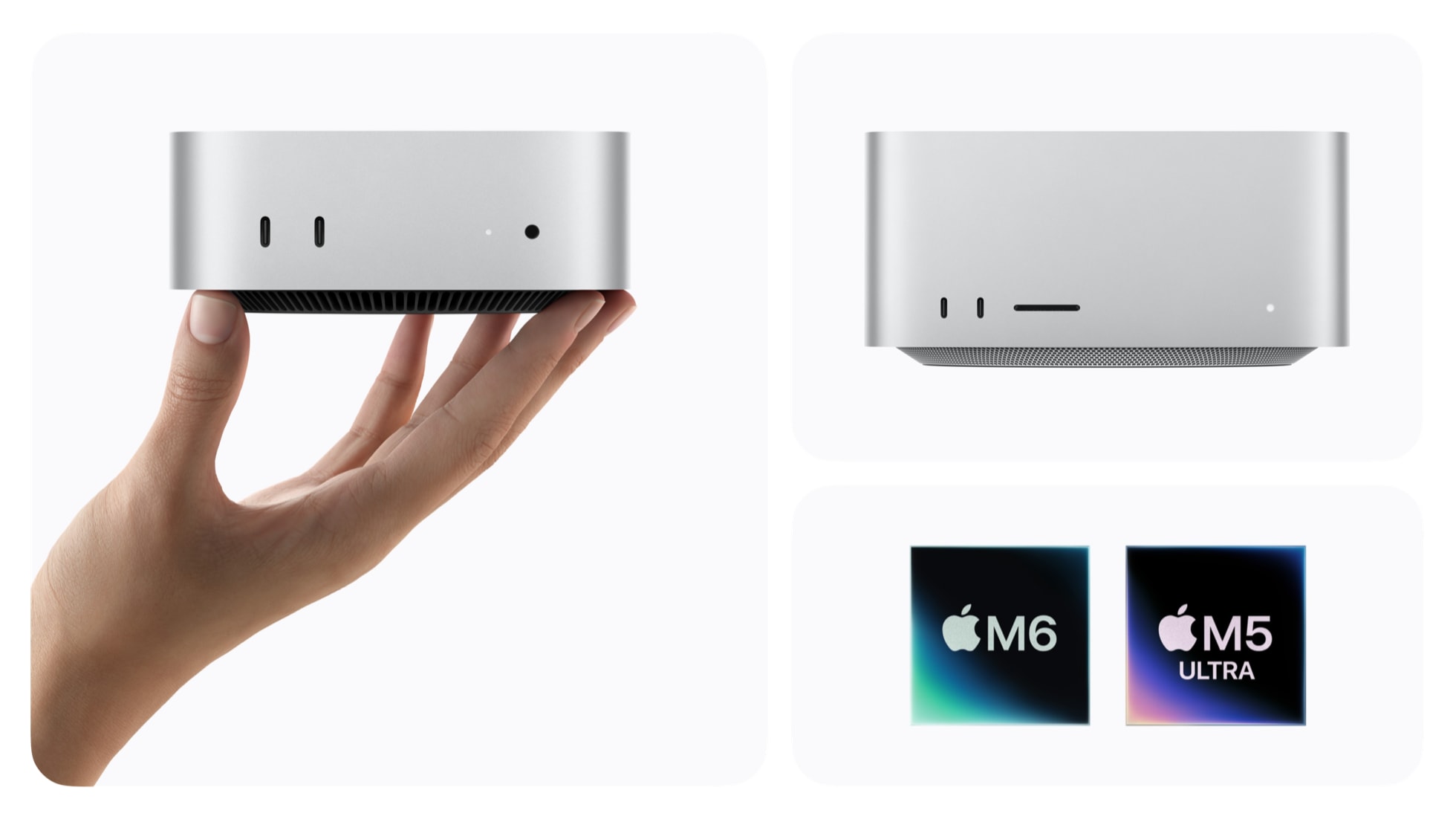
Apple’s current desktop range pairs the Mac mini with M6 or M5 Pro and Mac Studio with M5 Max or M5 Ultra. Source: Apple Newsroom. Official first-party media supplied with Apple’s launch coverage.
Quick answer
For most buyers, the Mac mini is the rational starting point; Mac Studio becomes compelling when the workload—not the wish list—needs more memory, GPU scale, sustained media throughput or pro I/O.
The $899 M6 Mac mini starts with 16GB unified memory and can reach 32GB. The $1,699 M5 Pro version can reach 64GB and adds Thunderbolt 5. Mac Studio starts at $2,499 with M5 Max and can reach 128GB; the $5,499 M5 Ultra model starts at 96GB and can be configured to 256GB or 512GB, with 1.2TB/s memory bandwidth.
The practical dividing line: choose around the memory, GPU and I/O your real projects need. A bigger chip does not automatically make everyday work meaningfully faster, and Apple’s published performance multipliers are vendor-run tests, not independent Digital Pulse Brief benchmarks.
Four desktops, four very different workload ceilings
Apple made the new Mac mini and Mac Studio available on September 22, 2026. U.S. starting prices are $899 for Mac mini with M6, $1,699 for Mac mini with M5 Pro, $2,499 for Mac Studio with M5 Max, and $5,499 for Mac Studio with M5 Ultra. Apple says the 512GB-memory M5 Ultra configuration will follow in late October.
Those prices look like a neat ladder, but the products do not scale evenly. The $800 jump from M6 to M5 Pro is largely about a higher professional ceiling: more CPU/GPU cores, nearly twice the maximum unified memory, 307GB/s memory bandwidth, and Thunderbolt 5. The jump from Mac mini to Mac Studio adds a larger thermal envelope, far more GPU capacity, much higher memory ceilings, 10Gb Ethernet as standard, an SDXC slot and broader display support.
| Model | U.S. start | CPU / GPU | Unified memory | Memory bandwidth | Rear Thunderbolt |
|---|---|---|---|---|---|
| Mac mini M6 | $899 | 12-core / 12-core | 16GB; up to 32GB | 153GB/s base; up to 170GB/s on higher M6 configurations | 3× Thunderbolt 4 |
| Mac mini M5 Pro | $1,699 | 15/16-core base; up to 18/20 | 24GB; up to 64GB | 307GB/s | 3× Thunderbolt 5 |
| Mac Studio M5 Max | $2,499 | 18/32-core base; up to 18/40 | 36GB; up to 128GB | 460GB/s base; up to 614GB/s | 4× Thunderbolt 5 |
| Mac Studio M5 Ultra | $5,499 | 30/64-core base; up to 36/80 | 96GB; 256GB or 512GB options | 1.2TB/s | 6× Thunderbolt 5 total |
Configuration figures are from Apple’s U.S. technical-spec pages as checked September 22, 2026. Maximum CPU/GPU figures are configure-to-order options, not necessarily the hardware included at the starting price.

The Mac mini’s 5-by-5-inch chassis targets everyday productivity, development and creative work without moving into workstation pricing. Source: Apple Newsroom. Official first-party media supplied with Apple’s launch coverage.
For local AI, memory capacity matters more than the marketing name
Apple is promoting all four desktops as on-device AI machines, but “AI capable” covers very different jobs. The M6 Mac mini can run local models and agentic tools, yet its 32GB maximum places a hard ceiling on model size once macOS, the application and GPU allocations are sharing the same unified memory pool. The M5 Pro doubles that ceiling to 64GB. Mac Studio moves the conversation to 128GB, 256GB or 512GB configurations.
That does not mean a 32GB Mac cleanly maps to a particular parameter count, or that 512GB guarantees any model will run well. Quantization format, context length, KV cache, application overhead and framework support all consume memory. Throughput then depends on GPU architecture, memory bandwidth and software optimization. Capacity determines what can fit; bandwidth and compute determine how comfortably it runs.
Apple’s own launch tests illustrate the performance direction but should be read as vendor evidence. Apple says M6 Mac mini can process LLM prompts in LM Studio up to 4.8× faster than M4 under its test configuration. For Mac Studio, Apple claims up to 3.9× faster LM Studio prompt processing for M5 Max versus M4 Max, and up to 4× for M5 Ultra versus M3 Ultra in the cited comparison. Those results are useful for generational context, not a universal forecast for every model or inference stack.
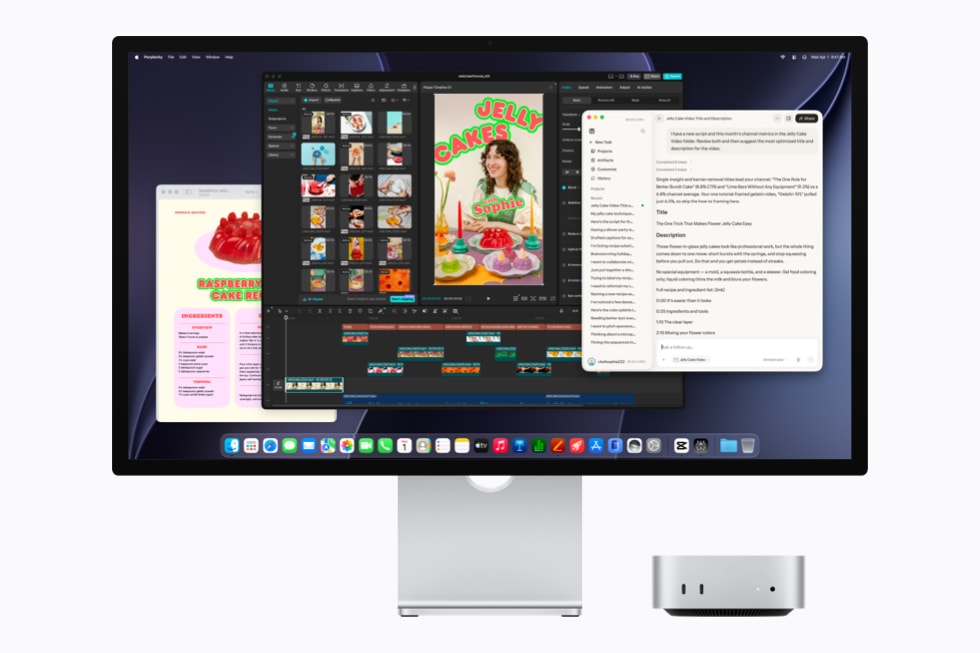
Apple positions M6 Mac mini for local models and agentic workflows alongside ordinary creative applications. Source: Apple Newsroom. Official first-party media supplied with Apple’s launch coverage.
M6 or M5 Pro Mac mini: the $800 question
The base M6 Mac mini is the cleaner fit when the machine will spend most of its life in browsers, office apps, coding tools, moderate photo/video work and smaller local AI experiments. It supports up to three external displays, includes Wi‑Fi 7, Bluetooth 6 and 2.5Gb Ethernet, and can be configured with 10Gb Ethernet. Its three rear USB‑C ports are Thunderbolt 4 at up to 40Gb/s.
The M5 Pro model earns its premium when your workflow can use the extra memory, CPU/GPU scale or I/O. It raises the memory ceiling to 64GB and switches the three rear ports to Thunderbolt 5 at up to 120Gb/s. Apple also supports genlock and clustering multiple M5 Pro Mac minis over Thunderbolt 5, making the model more relevant to video production and experimental distributed AI workloads.
The key buying mistake would be paying for M5 Pro because “Pro” sounds more future-proof while leaving its advantages idle. If your current projects fit comfortably inside 32GB and you do not need Thunderbolt 5, the M6 model preserves $800 for memory/storage configuration, a display, backup storage or software.
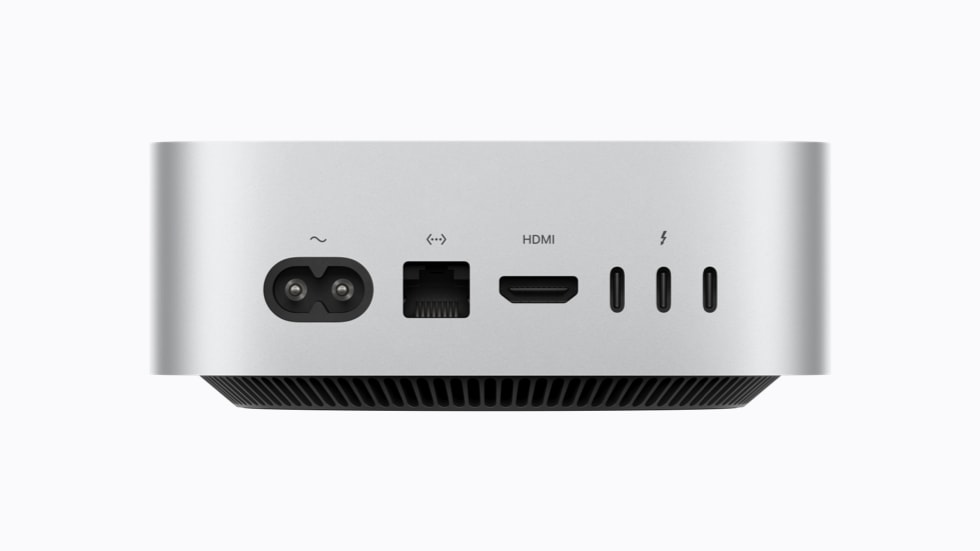
Mac mini keeps HDMI and Ethernet on the rear; the M6 model uses Thunderbolt 4 while M5 Pro moves to Thunderbolt 5. Source: Apple Newsroom. Official first-party media supplied with Apple’s launch coverage.
Mac Studio changes the problem from “Can it run?” to “How large is the job?”
Mac Studio is not simply a faster Mac mini. Its configuration ceiling is designed for workflows that can consume huge GPU, memory and media resources continuously. M5 Max starts with 36GB unified memory and a 32-core GPU, with options reaching 128GB and 40 GPU cores. M5 Ultra starts at 96GB and a 64-core GPU, then scales to 256GB or 512GB and an 80-core GPU.
For video work, the Ultra chip also doubles the media-engine blocks found in M5 Max. Apple says its top configuration can play up to 33 streams of 8K ProRes 422 at 30fps simultaneously. That is an extreme workload, but it illustrates why a filmmaker, VFX house or scientific team should evaluate Mac Studio differently from a general desktop buyer.
Display support shows the same split. M5 Max supports up to five external displays; M5 Ultra supports up to eight. The chassis also gives both models 10Gb Ethernet, four rear Thunderbolt 5 ports, two USB-A ports, HDMI 2.1 and an SDXC UHS-II slot. On M5 Ultra, the two front USB-C ports are also Thunderbolt 5, bringing the total to six.
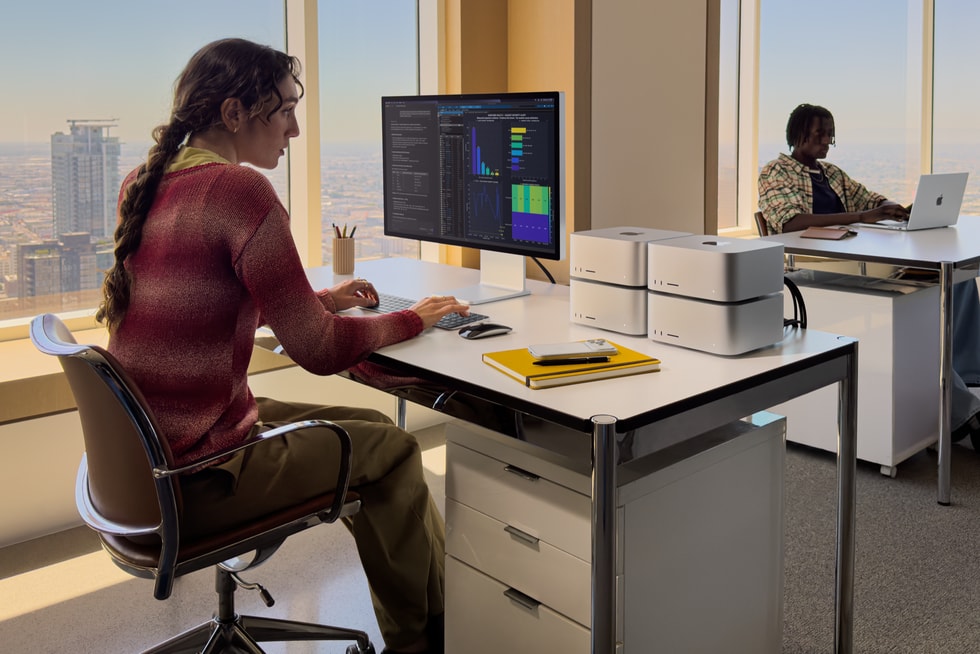
Apple demonstrated clustered Mac Studio systems for distributed AI inference using Thunderbolt 5 and RDMA. Source: Apple Newsroom. Official first-party media supplied with Apple’s launch coverage.
Apple’s local-AI pitch is about cost and control—not just speed
There is a business argument behind the new memory ceilings. Reuters reported on September 22 that Apple is pitching the new Macs to corporate buyers as a way to reduce reliance on usage-priced cloud AI. Apple demonstrated a trillion-parameter model running across four clustered Mac Studios from a single wall outlet.
Local inference can remove per-token API charges for workloads you are permitted and able to run on-device, and sensitive data can remain on hardware you control. It can also reduce round-trip latency and keep a workflow available when a cloud service is unavailable. Those are real operational advantages.
But “buy hardware instead of cloud” is not an automatic cost win. A fair comparison includes the Mac’s purchase price, electricity, storage, model management, software engineering, utilization rate and staff time. Cloud services can scale down when idle and offer frontier models that may be impractical to run locally. The right economic unit is cost per useful workload over the machine’s life—not the absence of a token bill.
For a solo developer experimenting with 7B–30B-class quantized models, a 512GB M5 Ultra may be massive overkill. For a team that repeatedly runs large open-weight models, keeps proprietary data local, or needs predictable always-on inference, memory capacity can become infrastructure rather than a luxury.
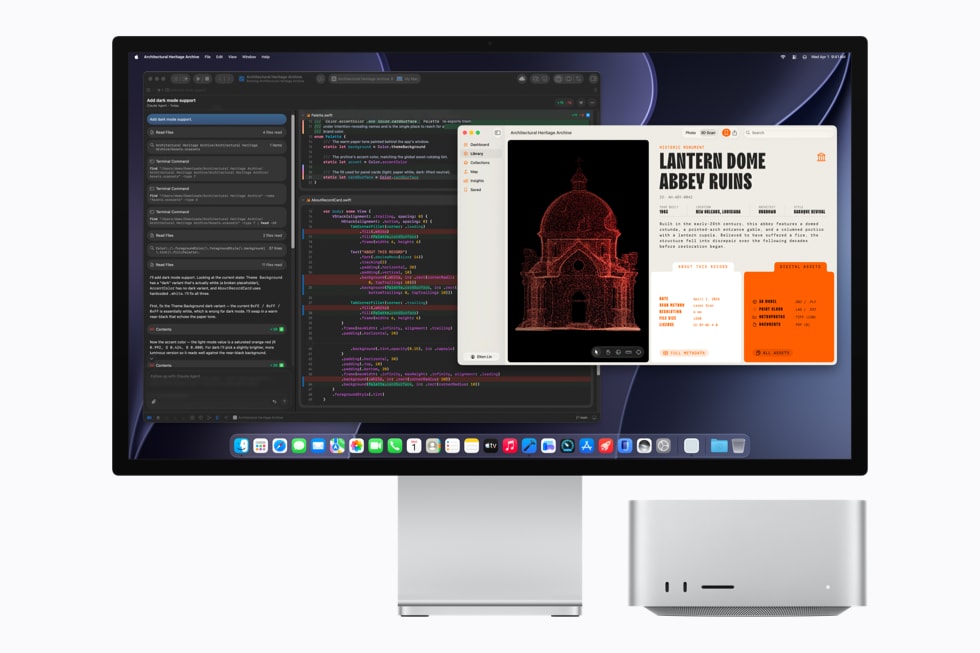
Apple’s developer examples combine Xcode with AI-assisted coding workflows; actual tool availability and model behavior depend on third-party software. Source: Apple Newsroom. Official first-party media supplied with Apple’s launch coverage.
Developers should choose around build time, containers and model memory
For conventional software development, all four machines are already well beyond the point where email, terminals and an IDE define the purchase. The differences appear when projects add large parallel builds, multiple simulators, virtualized environments, databases, local agents or models that remain resident in memory.
M5 Pro Mac mini is the interesting middle ground: it keeps the tiny chassis but raises memory to 64GB and provides Thunderbolt 5. M5 Max Mac Studio is the next logical step when 64GB becomes a recurring constraint or GPU-heavy work such as image generation, 3D tooling or accelerated compute shares the same machine. M5 Ultra is specialist territory unless a workload can actually consume its memory bandwidth and 96GB-plus capacity.
Apple also highlights MLX, its open-source machine-learning framework optimized for Apple silicon, and a new Core AI framework. Those tools strengthen the local-development story, but framework compatibility still matters. Before buying around one model or agent stack, verify that its preferred runtime has optimized Apple-silicon support and that the memory requirement includes your intended context length.
Official Apple launch video for Mac mini with M6. Embedded from Apple’s verified YouTube channel.
Creative work: media engines and memory can matter more than CPU headlines
A photo editor working on conventional RAW files may see little reason to move past M6 or M5 Pro. A video editor handling multicam ProRes, an artist rendering complex 3D scenes, or a VFX compositor with large assets can hit very different bottlenecks. Here, GPU count, dedicated media engines, memory capacity and storage throughput start to determine whether the machine stays interactive under load.
Apple’s own tests say M5 Max Mac Studio can deliver up to 3× faster Magic Mask performance in DaVinci Resolve Studio than M4 Max, while M5 Ultra can reach up to 1.7× the Redshift scene-rendering performance of M3 Ultra in Apple’s selected test. Again, those are vendor comparisons with specific configurations. They do not tell you that every Premiere, Resolve, Blender or Nuke project will scale by the same percentage.
If your work is billable, benchmark the bottleneck you actually have: export time, render time, proxy generation, simulation, model inference, build duration or RAM pressure. A $5,499 starting workstation can be economical when it saves hours of paid production every week. It is wasteful when its expensive cores spend most of the day idle.
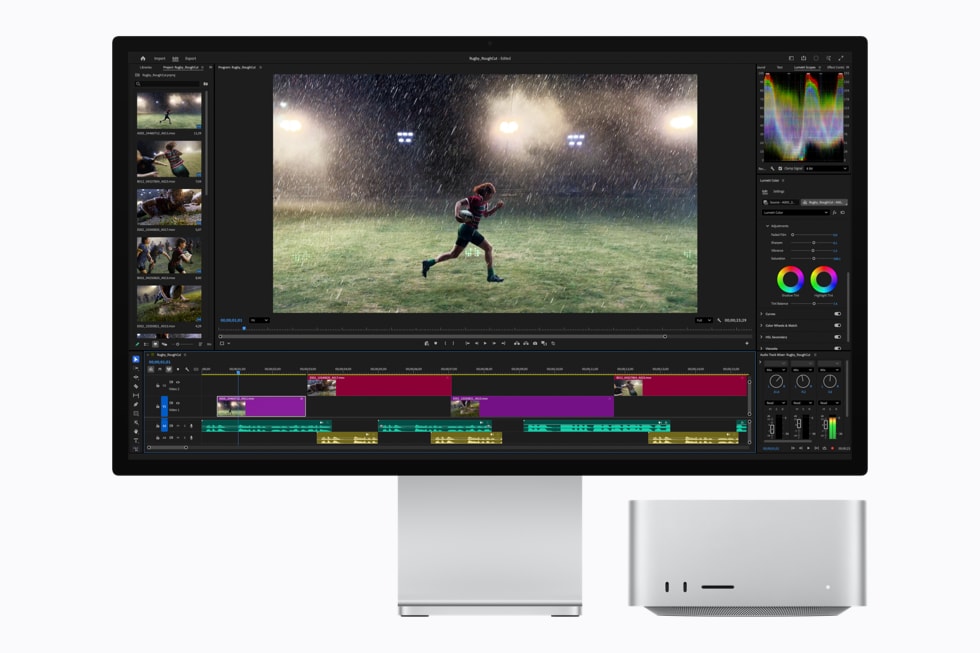
Apple shows Mac Studio in an Adobe Premiere workflow; its M5 Ultra configuration adds substantially more media-engine resources for high-end video work. Source: Apple Newsroom. Official first-party media supplied with Apple’s launch coverage.
Ports are a real differentiator, especially if the Mac anchors a studio
Mac mini keeps the essentials compact: two front USB-C ports and a headphone jack, plus Ethernet, HDMI and three Thunderbolt ports at the rear. The important distinction is generation—Thunderbolt 4 on M6, Thunderbolt 5 on M5 Pro.
Mac Studio is built to be the center of a professional desk. Four rear Thunderbolt 5 ports sit alongside 10Gb Ethernet, two USB-A ports, HDMI 2.1 and audio. An SDXC UHS-II slot and two additional USB-C ports are on the front; on M5 Ultra, those front ports are also Thunderbolt 5. If you use fast external arrays, PCIe expansion, capture hardware, multiple high-refresh displays or 10Gb networking, that I/O can justify part of the price before raw compute enters the discussion.
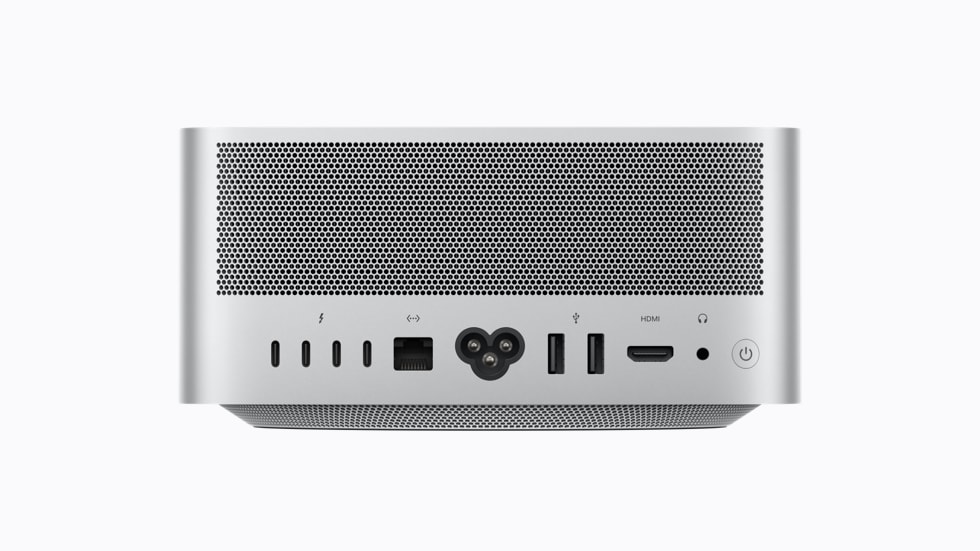
Mac Studio’s rear I/O includes four Thunderbolt 5 ports, 10Gb Ethernet, USB-A, HDMI 2.1 and a headphone jack. Source: Apple Newsroom. Official first-party media supplied with Apple’s launch coverage.
Which 2026 Mac desktop fits your work?
| Workload | Start here | Reason to move up |
|---|---|---|
| Office, web, study, coding, light creative work | Mac mini M6 | Move up if 32GB or Thunderbolt 4 becomes a real limit. |
| Professional development, heavier video, local AI under 64GB | Mac mini M5 Pro | Mac Studio if GPU load, memory pressure or studio I/O is recurring. |
| 3D, motion graphics, serious video, larger local models | Mac Studio M5 Max | Ultra if 128GB, 40 GPU cores or M5 Max media capacity is insufficient. |
| Very large local models, VFX/science, multi-stream 8K, clustered inference | Mac Studio M5 Ultra | Buy only when the workload can monetize or operationally justify the capacity. |
Memory is the configuration to decide early. Apple silicon uses unified memory that is not user-upgradable after purchase. Storage can be supplemented externally; RAM cannot. If you regularly sit close to your current memory limit, leave headroom for the software and models you expect to use over the machine’s service life.
macOS 27 and Siri AI are shared across the range
The hardware tiers do not buy different versions of macOS. Apple’s new desktops run macOS 27 Golden Gate, including Apple Intelligence and Siri AI where supported by region and language. That means the M6 Mac mini gets the same core operating-system features as Mac Studio; higher-end silicon primarily changes how much local compute and memory you can bring to demanding work.
If the software side is your main reason for upgrading, read our Siri AI explainer before spending on hardware. Buying a larger desktop does not unlock a separate tier of Siri features.
Mac mini M6 vs Mac Studio M5 FAQ
When did the 2026 Mac mini and Mac Studio go on sale?
Apple opened pre-orders on August 25 and made the new desktops available on September 22, 2026. Apple says the 512GB unified-memory Mac Studio configuration is coming in late October.
What is the cheapest new Mac mini?
Mac mini with M6 starts at $899 in the U.S. Apple lists education pricing from $799 for eligible customers. Regional prices, taxes and configurations vary.
Does M5 Pro Mac mini have Thunderbolt 5?
Yes. Its three rear USB-C ports support Thunderbolt 5 up to 120Gb/s. The M6 Mac mini uses Thunderbolt 4 up to 40Gb/s.
How much memory can Mac Studio have?
M5 Max configurations can reach 128GB unified memory. M5 Ultra starts at 96GB and can be configured with 256GB or 512GB; Apple says the 512GB option arrives in late October.
Is Mac Studio worth it for ordinary productivity?
Its advantages are concentrated in high-end GPU, media, memory, display and I/O workloads. Web browsing, office work and ordinary coding do not inherently require Mac Studio. The value case becomes stronger when time saved in a professional workload or the need for more than 64GB memory can justify the cost.
Methodology and what we have not tested
This is a research-based buying guide, not a hands-on review. Digital Pulse Brief has not independently benchmarked the 2026 Mac mini or Mac Studio, measured their thermals, acoustics or sustained performance, or tested application compatibility. Performance multipliers in this article are identified as Apple claims and originate from Apple’s July 2026 test configurations.
Our comparison instead focuses on verifiable purchasing variables—current U.S. pricing, base and maximum configurations, memory bandwidth, I/O, display support and Apple’s stated availability—then explains how those differences map to common workloads. Independent application benchmarks remain important if your purchase depends on a specific professional program.
Bottom line
The 2026 Mac desktop lineup makes the most sense when you stop treating it as one performance ladder. Mac mini M6 is a compact general-purpose machine with credible local-AI capability. M5 Pro Mac mini is the small-form-factor professional option, chiefly distinguished by 64GB memory support and Thunderbolt 5. M5 Max Mac Studio is where larger GPU, media and memory workloads become the norm. M5 Ultra is specialized infrastructure for people who can actually use 96GB to 512GB of unified memory, an 80-core GPU or clustered inference.
The safest buying rule is simple: configure for the bottleneck you can name. If you cannot name the workload that needs the next tier, you probably do not need to pay for it yet.
Primary sources and further reading
- Apple — Mac mini and Mac Studio availability update (September 22, 2026)
- Apple — Mac mini with M6 and M5 Pro launch (August 25, 2026)
- Apple — Mac Studio with M5 Max and M5 Ultra launch (August 25, 2026)
- Apple — Mac mini technical specifications
- Apple — Mac Studio technical specifications
- Apple — M6 and M5 Ultra silicon overview
- Reuters — Apple’s local-AI cost pitch for the new Macs (September 22, 2026)
Image-use record: Article visuals are first-party Apple Newsroom media supplied with Apple’s launch press materials under “Media in this article / Download all media.” They are used here for factual editorial coverage with source links and without altering the product/interface meaning. No wire-service photography or AI-generated article artwork is used.
More from Digital Pulse Brief
BUSINESS TECHNOLOGY
AI & AUTOMATION
DIGITAL PULSE BRIEF NEWSLETTER
Get clear AI, technology and business insights in your inbox
Breaking developments, practical explainers, reviews and useful tech intelligence — without the noise.
WHAT TO READ NEXT
Best AI Laptops to Buy in 2026: MacBook Air M5, Surface Laptop X2, XPS 14 and More  Best Wi-Fi 7 Routers to Buy Before Wi-Fi 8 Arrives: 2026 Buyer’s Guide
  Best Chargers for iPhone 18 Pro and 18 Pro Max in 2026: USB-C, MagSafe and Multi-Port Picks
MORE FROM DIGITAL PULSE BRIEF