Used Laptop Buying Checklist: Test Battery, Windows 11 Support and Seller Claims
Buying a used or refurbished laptop? Test battery health, Windows 11 eligibility, Mac Activation Lock, hardware condition and written return terms before paying.

Before paying for a used or refurbished laptop, verify the exact model, battery condition, supported operating system, core hardware, account ownership and return terms. A machine that powers on and displays “Windows 11” is not necessarily officially eligible for Windows 11, and an impressive-looking MacBook can still have a failing battery or be tied to a previous owner. Use this buyer-side test plan to spot expensive problems before the sale rather than relying on a seller’s “excellent condition” label.
Useful minimum proof: photograph or record the model/SKU (without exposing serial numbers publicly), inspect a device-generated battery report, confirm the display/ports/keyboard work, check that the OS is supported, and get the repair/return promise in writing. If the seller will not allow ordinary non-destructive inspection, consider that a reason to choose another listing.
How this guide was checked (November 1, 2026): Digital Pulse Brief consulted official Microsoft battery and compatibility instructions, Apple battery and Mac reset documentation, and the US FTC’s guidance on refurbished online goods. No specific laptop was purchased, disassembled or tested for this article; the suggested test procedure is documented advice, not a claimed hands-on result. Region-specific consumer protection law is not asserted.
Quick pre-purchase inspection matrix

In-article photo by Content Pixie; featured photo by Revendo, both via Unsplash. These are genuine illustrative photographs, not screenshots of the steps or claims of hands-on testing.
| Test | What to verify | Red flag / decision |
|---|---|---|
| Model and configuration | Exact manufacturer model/SKU, CPU, RAM, SSD size, display configuration and charger supplied | Listing specifications differ from the device: stop until resolved |
| Battery | Windows design vs full-charge capacity, or Mac cycle count and Battery Health | Short runtime, major capacity loss, swelling or damaged power cable: price/service risk; swelling means stop use |
| Software support | Windows 11 eligibility or Apple supported macOS version for exact model | Unsupported Windows 11 bypass, abandoned OS or locked update controls |
| Physical condition | Panel, keyboard, trackpad, hinge, webcam, Wi-Fi, USB ports, speakers, charging | Intermittent port, pressure-damaged display, broken hinge or persistent errors |
| Ownership and account release | Seller can complete authorized handover; Mac is not blocked by Activation Lock or remote management | Asks for previous owner’s password or an organization administrator you cannot contact |
| Warranty and returns | Written grade, battery warranty/exclusions, return window, shipping and restocking fees | Vague “no returns” terms without a meaningful inspection opportunity |
The US Federal Trade Commission’s online shopping guidance warns that “refurbished” can indicate less-than-perfect condition and advises reading return policies and fees. The exact legal rights depend on where the buyer and seller are located; this article is an inspection checklist, not legal advice.
Step 1: match the laptop’s exact model to the listing
- Ask for the precise manufacturer model, configuration/part number and a current photo of the actual device, not a promotional render of that product family.
- Windows: open Settings → System → About to check processor and installed RAM. Confirm the model against the manufacturer’s product or service documentation. Storage capacity can be checked in Settings → System → Storage.
- Mac: choose Apple menu → About This Mac to identify the hardware and installed macOS. Use the model’s Apple technical specifications to confirm the originally sold options and supported features.
- Compare the actual screen resolution, USB/Thunderbolt ports, SSD capacity and charger requirement with the seller’s claims. Exact SKU matters: two laptops sharing a marketing name can have different memory layouts and screens.
Don’t automatically buy extra RAM or an SSD. Some machines use soldered memory and some have difficult or restricted storage upgrades. Our separate laptop RAM upgradeability guide explains how to check memory sockets and manufacturer specifications. This used-laptop checklist is broader, covering whether the complete machine is worth accepting.
Step 2: read the Windows battery report before purchase
Windows 11 includes a battery report that helps distinguish a claimed “great battery” from the installed pack’s reported capacity. Microsoft’s official battery health guidance explains this command:
- On the actual laptop, open Start, search for Command Prompt, and select Run as administrator if authorized by the seller. Do not ask a seller for their administrator password.
- Enter
powercfg /batteryreportand press Enter. Windows reports where the HTML file was saved. - Open that report in a browser and locate Installed batteries. Look for Design Capacity and Full Charge Capacity. Also inspect recent usage and battery-capacity history if reported.
- As a simple estimate, compare full-charge capacity with design capacity. For instance, a reported 36,000 mWh full charge versus 48,000 mWh design capacity would suggest roughly 75% of original rated capacity. This arithmetic is illustrative, not a measurement of any device or a guarantee of usable runtime.
- Ask for an unplugged demonstration under a realistic workload if practical. A single battery percentage icon, or a minute of idle use, is not proof of all-day battery life.
Limits: battery firmware estimates can be inaccurate, the battery may have been replaced, and power use varies with brightness, workload and temperature. A report is evidence, not a universal pass/fail threshold. Compare expected replacement cost and seller warranty before accepting a worn battery. If a pack visibly swells, the case bulges or the trackpad is pushed outward, stop using or charging the laptop and seek qualified service. Microsoft’s source explicitly warns against compressing or puncturing a swollen battery.
Step 3: check Mac battery condition and cycles
Apple offers two complementary checks for its laptops:
- Battery Health: choose Apple menu → System Settings → Battery on supported macOS versions. Look for Normal or Service Recommended. Apple says the latter can mean reduced capacity or another battery-function problem; it isn’t a complete diagnostic report by itself.
- Cycle count: hold Option, click the Apple menu, choose System Information, then under Hardware → Power look for the cycle count in Battery Information.
- Compare the cycle figure to the exact Mac model in Apple’s battery-cycle list. The maximum count differs by model; there is no correct universal “every Mac is good below 1,000 cycles” rule.
- Check whether service or battery replacement is covered in writing. On a model with a built-in battery, use qualified repair, not an unverified DIY cell replacement.
Apple’s cycle-count reference explains that one complete charge cycle can accumulate across multiple partial charges, and that design targets are model-dependent. Apple’s Battery Health reference distinguishes the Normal and Service Recommended indicators. Neither source says cycle count alone determines the resale value or actual remaining hours.
Step 4: check official Windows 11 eligibility—not just whether it boots
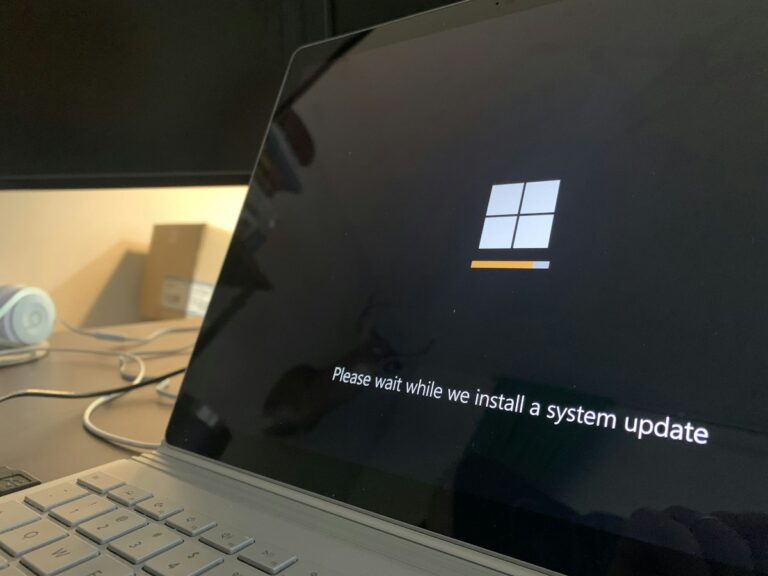
A used Windows machine may display Windows 11 even if the installer was forced onto hardware Microsoft does not support. Before paying, check its processor model, RAM, storage, firmware protections and supported OS status.
- Confirm the exact CPU and device model. Microsoft requires not only sufficient CPU speed/cores but a processor on a supported list, plus TPM 2.0, Secure Boot-capable firmware and other conditions. Windows 11’s official minimum 4GB RAM and 64GB storage are not recommendations for a comfortable multitasking laptop.
- On Windows 10 or a compatible system, use Microsoft’s official PC Health Check app or Windows Update eligibility checker. Do not download look-alike “Windows 11 check” utilities from ads or file-sharing pages.
- If the seller advertises Windows 11 on unusually old hardware, verify whether the installation is within Microsoft’s support requirements. Ask how updates are delivered and whether the OS is properly activated; do not assume activation means supported hardware.
- For company-managed equipment, check that management and licensing are legitimately transferred. Do not bypass work/school controls to test a computer.
See Microsoft’s Windows 11 requirements and PC Health Check instructions. Since Windows 10 reached its general end of support in October 2025, a machine limited to that system may present a security and support cost that is more important than its low purchase price. Special enterprise or extended security arrangements can have separate rules.
Step 5: ensure a used Mac belongs to the seller and can be set up by you
Mac Activation Lock is an ownership handover issue, not a minor software bug. Apple explains that its supported Erase All Content and Settings process signs the previous owner out of Apple services and disables Find My / Activation Lock when completed by an authorized owner. An unauthorized buyer cannot simply remove somebody else’s Apple Account restriction.
For an in-person purchase, request that the seller prepare the Mac for transfer following Apple’s instructions for selling or trading in a Mac. Ask to see it reach the welcome/setup state and, with the seller’s consent, confirm the device can be configured without a previous owner’s credentials or an unexpected organization-enrollment demand. Don’t pay for a machine that cannot complete legitimate ownership handover.
Do not erase the seller’s Mac yourself without permission. Factory reset deletes their content. Apple also warns that reset flows may erase all volumes and user accounts. The purpose here is to verify an authorized clean handover, not instruct buyers to destroy someone else’s data or evade remote-management policies. Apple details the effects in its Erase Mac support page.
Step 6: perform ten non-destructive physical checks
- Screen: display plain light and dark backgrounds and inspect dead pixels, discoloration, flicker, pressure marks and cracks. Some flaws appear only at certain brightness levels.
- Keyboard/trackpad: test letters, number row, function keys, gestures and physical clicking using a local scratch document that contains no personal data.
- Hinges/case: check for wobble, separating seams and damage around the battery compartment. Do not force a stiff hinge or pry the case open.
- Charging: use the correct manufacturer-specified charger and verify the charging indicator, connector fit and charging behavior. Frayed cables are a safety issue.
- Wi-Fi/Bluetooth: join a trusted test network and check an authorized peripheral if available; don’t log into the seller’s private accounts.
- USB and video ports: connect a harmless known-good USB accessory or external display where permitted. A connector’s existence does not guarantee its maximum data/video specification.
- Speakers and microphone: test built-in recording/playback without collecting anyone else’s private information.
- Webcam: open the built-in Camera app or a trusted equivalent and confirm the picture without joining a real meeting.
- Storage and boot: restart normally, watch for drive errors, repeated crashes, unexpected lock screens or prompts for unknown encryption recovery keys.
- Thermals/noise: listen for abnormal fan sounds and notice extreme heating during ordinary use. Heavy stress testing isn’t necessary or appropriate without permission.
If the laptop has faults, request a written description and adjusted price or walk away. Do not erase the drive, change firmware, disable antivirus or install random benchmarks on another person’s computer just to prove a point. A short visual check is not a guarantee of long-term hardware reliability.
Step 7: compare the real cost, not just the listing price
| Possible expense | Question to ask before paying |
|---|---|
| Battery replacement | Is the battery guaranteed, what capacity/health is warranted, and who pays labor if it fails? |
| Storage/RAM upgrade | Are parts replaceable in this exact SKU, and is any upgrade already included in the stated price? |
| Compatible charger | Is a safe, correct-rated genuine or reputable replacement charger included? |
| Software support | Can it run a supported OS and the apps you actually need? |
| Return shipping/restocking | Who pays if the listing differs from reality, and what documentation is required? |
| Repair warranty | What exact parts, time period and diagnostic labor are covered or excluded? |
The FTC recommends checking refunds, shipping costs and restocking fees and keeping records of an online purchase. For UK or EU customers, applicable cancellation/warranty rules vary by transaction and country; verify current local consumer guidance rather than assuming the US rules apply worldwide.
Copy this short seller checklist
“Before I buy, please confirm the exact model/SKU and included charger, show the current battery report or Mac battery condition/cycle count, confirm supported OS eligibility and that the laptop can be activated without another person’s account, and provide the written return period, warranty exclusions, and return-shipping fees. Can I check the screen, keyboard, ports, Wi-Fi and charging before payment or within the documented return window?”
Final decision: Accept the laptop only when its actual configuration, battery wear, software support, physical condition, ownership status and seller remedy make sense together. If the seller cannot substantiate a key claim, a low price is not adequate evidence of a good purchase.
Official sources and limitations
- Microsoft — Caring for your battery in Windows (battery report and swelling precautions).
- Microsoft — Windows 11 requirements and PC Health Check guide.
- Apple — Determine battery cycle count for Mac laptops and Battery Service Recommended explanation.
- Apple — Prepare a Mac to sell or trade in.
- US FTC — Online shopping, refurbished item and return checks.
Checked November 1, 2026. All guidance is source-based; no product purchase, battery capacity reading, ownership verification or real-life laptop reliability test by Digital Pulse Brief is claimed.